Description
Build Your PLC System—Your Way
Design your PLC system to suit your exact needs with flexible I/O options that simplify installation and reduce costs. Whether you prefer I/O mounted directly on the back of the HMI or DIN rail-mounted modules, you’re in control.
By selecting only the I/O you require, you avoid unnecessary components and streamline your setup—no complex configurations or I/O calculations needed. Simply choose the modules that match your project requirements and expand easily by attaching additional I/O directly to the PLC CPU on the rear of the HMI.
Use our simple configuration guide below to find the right PLC for your application. Or, if you’d prefer a more personal touch, give us a call or send us an email—we’re always happy to help you build the ideal solution.
Simple Configuration to suit your application
- Select your HMI touch panel – 7″, 10.4″, OR 15.6″
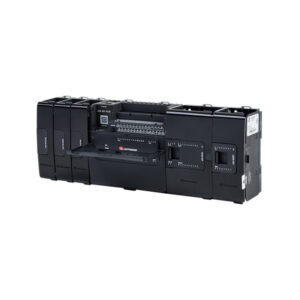
- Add your CPU – Attaches to the back of the HMI panel USC-P-B10
- Choose which IO/Com modules you require for your application – attach them directly to the CPU
- Download and install the intuitive, easy-to-use UniLogic Programming Software to seamlessly program your HMI and PLC at the same time in the same environment.
- You will then have a compact control solution complete with an easy-to-program HMI and PLC tailored to suit your specific requirements.
- This control solution can then be expanded as you see fit; a single UniStream CPU supports 80 modules with up to 2,048 onboard, local & remote Inputs & Outputs.
- Includes CANbus
- Includes RS485
- All Modular UniStream PLC’s require this product